










Paying for your PMC Herbals order is simple. First check which payment methods are available in your country, then place your order, pay using the steps below, and send us proof of payment if your method needs it. If anything is unclear, our team is always here to help.
Payment Methods by Country
Customers in the USA
Customers in All Other Countries
Having trouble making a payment?
Don’t worry – just contact our team and we will help you complete your payment step by step. Email sales@pmcherbals.com or message us on WhatsApp at +91 83294 74924.
How to Pay in 5 Simple Steps
- Add your products to the cart and go to checkout.
- Choose a payment method that is available in your country (see above) and place your order. You will receive your order number by email.
- Make the payment using the instructions for your method below, or the payment details we email to you.
- Send proof of payment – a screenshot or transaction ID together with your order number – to sales@pmcherbals.com or WhatsApp +91 83294 74924. Not needed for PayPal Crypto, which is confirmed automatically.
- We confirm and ship. Once your payment is verified, we process your order and send you updates by email.
Please place your order first.
Do not send any money before placing your order. Your order number helps us match your payment to your order quickly.
Which Option to Choose at Checkout
These are the exact payment option names you will see at checkout:
| Option at checkout | Available for | Payment details |
|---|---|---|
| Zelle App QR Code | USA | On this page (see Zelle) |
| Cash App QR Code | USA | Open Cash App yourself and pay our Cashtag $mllc (see Cash App) |
| Venmo | USA | First email us your Venmo profile and its screenshot (see Venmo), then we send our QR code within 12 hours |
| Direct Bank Transfer | All countries | Sent to your email within 12 hours |
| Pay with PayPal Crypto | All countries | Shown on our secure crypto payment page after you place your order (see Cryptocurrency) |
| Others | Anyone who needs help | Our team contacts you by email |
Payment Instructions
ZelleUSA only
At checkout, choose Zelle App QR Code.
- Open your bank app or the Zelle app and select Send.
- Scan the QR code below, or enter our Zelle number: 470-350-9285.
- Enter the exact order total and send the payment.
- Send us a screenshot of the payment with your order number.
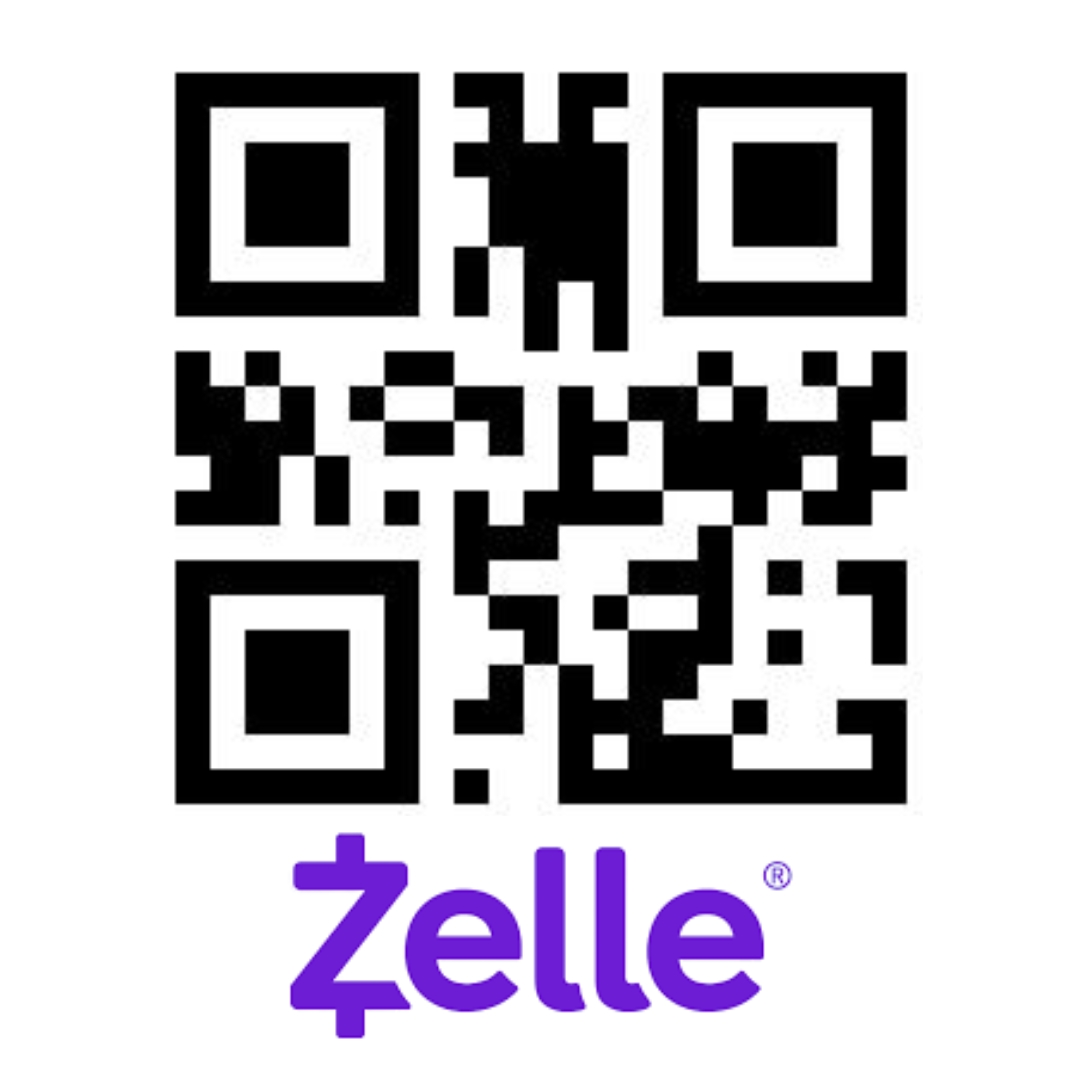
Paying from your phone? Simply type the Zelle number instead of scanning.
Cash AppUSA only
At checkout, choose Cash App QR Code. Our Cashtag is $mllc.
Tapping the QR code will not open Cash App.
The QR code below is only a picture. Clicking or tapping it on this page will not open Cash App or start a payment. Please open the Cash App yourself and use one of the two easy ways below.
Way 1 – Type our Cashtag (best if you are paying on your phone):
- Open the Cash App on your phone.
- Type the exact order total and tap Pay.
- In the To field, type $mllc and check that it matches exactly.
- In the For field, write your order number, then tap Pay.
- Send us a screenshot of the payment with your order number.
Way 2 – Scan the QR code (if this page is open on another screen):
- Open this page on a computer, a tablet or another phone.
- Open Cash App on your phone and tap the scan (QR code) icon on the Pay screen.
- Point your phone camera at the QR code below, enter the exact order total and tap Pay.
- Send us a screenshot of the payment with your order number.
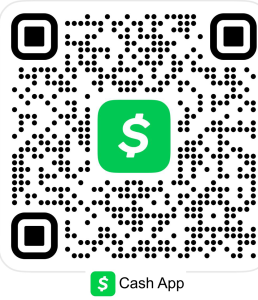
A phone cannot scan a QR code shown on its own screen. If you only have one phone, use Way 1 and type $mllc.
VenmoUSA only
At checkout, choose Venmo.
Required before paying by Venmo:
You must email your Venmo profile (your Venmo name and @username) and a screenshot of your Venmo profile page to sales@pmcherbals.com, with your order number. We verify your account first and then share our Venmo details with you.
- After placing your order, open the Venmo app, go to your profile page and take a screenshot that shows your name and @username.
- Email your Venmo profile (@username) and the screenshot, with your order number, to sales@pmcherbals.com.
- Once we verify your profile, we email you our Venmo QR code within 12 hours.
- Scan the QR code in Venmo, pay the exact order total, and send us a screenshot of the payment.
Direct Bank TransferAll countries
At checkout, choose Direct Bank Transfer. Your order will be placed on hold until your payment is received.
- We email our bank account details to you within 12 hours of your order.
- Transfer the exact order total from your bank.
- Reply to our email with your transfer receipt and order number.
Cryptocurrency (Bitcoin)All countries
At checkout, choose Pay with PayPal Crypto. When you place your order, you are taken to our secure crypto payment page. It shows the exact Bitcoin (BTC) amount and a payment address for your order. No crypto experience is needed.
Paying with PayPal (where PayPal Crypto is available):
- Tap Place order at checkout. Our secure crypto payment page opens.
- Choose Bitcoin (BTC). The page shows the exact BTC amount and the payment address for this order.
- Open PayPal and go to Crypto › Bitcoin › Buy. Buy a little more than the amount shown, to cover the network fee.
- Tap Send, paste the address from the payment page, enter the exact BTC amount, check the details and confirm.
- Keep the payment page open. It updates by itself when your payment arrives, and we email your order confirmation. You do not need to send us a screenshot or transaction ID.
Outside the USA, or PayPal Crypto not available to you? Buy Bitcoin from any trusted crypto app or exchange in your country and send it the same way, to the address shown on the payment page. If you are unsure how to do this, contact us and we will guide you.
Always pay the address shown on the payment page.
The amount and address on the payment page are for your order only. Send Bitcoin (BTC) only, pay within the time shown on the page, and after pasting the address check that the first and last few characters match.
Closed the payment page by mistake? Contact us at sales@pmcherbals.com or WhatsApp +91 83294 74924 with your order number and we will help you finish the payment.
PayPal and any crypto exchanges mentioned on this page are independent third-party companies. Mentioning them does not imply any affiliation, endorsement or partnership with PMC Herbals.
OthersNeed help?
If you are not sure which method to use, or your preferred option is not listed, choose Others at checkout and our team will contact you by email to help you pay.
After You Pay: Send Proof of Payment
For Zelle, Cash App, Venmo and Direct Bank Transfer, please send us:
- Your order number
- A screenshot of the completed payment, or the transaction ID
- The name on the account you paid from
Send it by email to sales@pmcherbals.com or on WhatsApp to +91 83294 74924.
Paid by crypto on our secure payment page? No proof is needed. Your payment is confirmed automatically and we email your order confirmation.
Important: Zelle, Cash App and Venmo payments work like cash, and crypto payments cannot be reversed. Money sent to a wrong account may not be refundable. Only use the payment details shown on this page, on our secure crypto payment page, or sent to you by PMC Herbals, and always double-check them before you pay.
Please note: Orders are processed and shipped only after your payment has been received and confirmed.
Need Help With Payment?
If you face any problem while paying, please contact our team. We will help you complete your payment.
- Email: sales@pmcherbals.com
- WhatsApp: +91 83294 74924
- Contact form: pmcherbals.com/contact-us
Frequently Asked Questions
Which payment methods can I use outside the USA?
Customers outside the USA can pay by Direct Bank Transfer or Cryptocurrency (Bitcoin). Zelle, Cash App and Venmo are available for customers in the USA only.
I tapped the Cash App QR code but Cash App did not open. Why?
The QR code is only a picture, so tapping it cannot open Cash App. Open Cash App yourself, type the order total, tap Pay and enter our Cashtag $mllc in the To field. You can also scan the QR code from another screen using the scan icon in Cash App. See the Cash App steps.
Do I need to pay before placing my order?
No. Always place your order first. Your order number helps us match your payment to your order.
Can I pay with a credit or debit card?
We do not take cards directly at checkout. In the USA you can use your card inside PayPal to buy Bitcoin and pay with PayPal Crypto. If you need another option, choose Others at checkout and our team will help.
I did not receive the payment details email. What should I do?
Bank transfer details are emailed within 12 hours of your order. For Venmo, our QR code is emailed within 12 hours after you send us your Venmo profile and its screenshot. Please check your spam or junk folder. If you still cannot find it, email sales@pmcherbals.com or WhatsApp +91 83294 74924 with your order number.
How will I know my payment was received?
After we verify your payment, we confirm your order by email and start processing it for shipment. PayPal Crypto payments are confirmed automatically: the payment page updates by itself and you receive the confirmation email.
I am having trouble making the payment. Can you help?
Yes. Please contact our team by email or WhatsApp and tell us your order number and the method you want to use. We will guide you step by step.